How to Read a Motor Nameplate (for VSD Use)
There is no universal standard for motor nameplates, and different manufacturers present information in different ways. This guide is designed to help you correctly interpret motor nameplate data — especially when selecting or using a Variable Speed Drive (VSD).
Key Point: Customers often misread nameplates by mixing frequency, voltage, and connection type. Always match frequency → voltage → connection correctly.
Step 1: Identify the Frequency
Most motors list both 50 Hz and 60 Hz data. In the UK and most of Europe, you should use the 50 Hz values.
Step 2: Match Voltage and Connection
Once you have identified the correct frequency, match the voltage with the correct connection type:
- 230V = Delta (Δ)
- 400V = Star (Y)
Larger motors may show:
- 400V = Delta (Δ)
- 690V = Star (Y)
Example Nameplates
The examples below show typical motor nameplates and how to identify the key information required for VSD setup.
Full Nameplate View
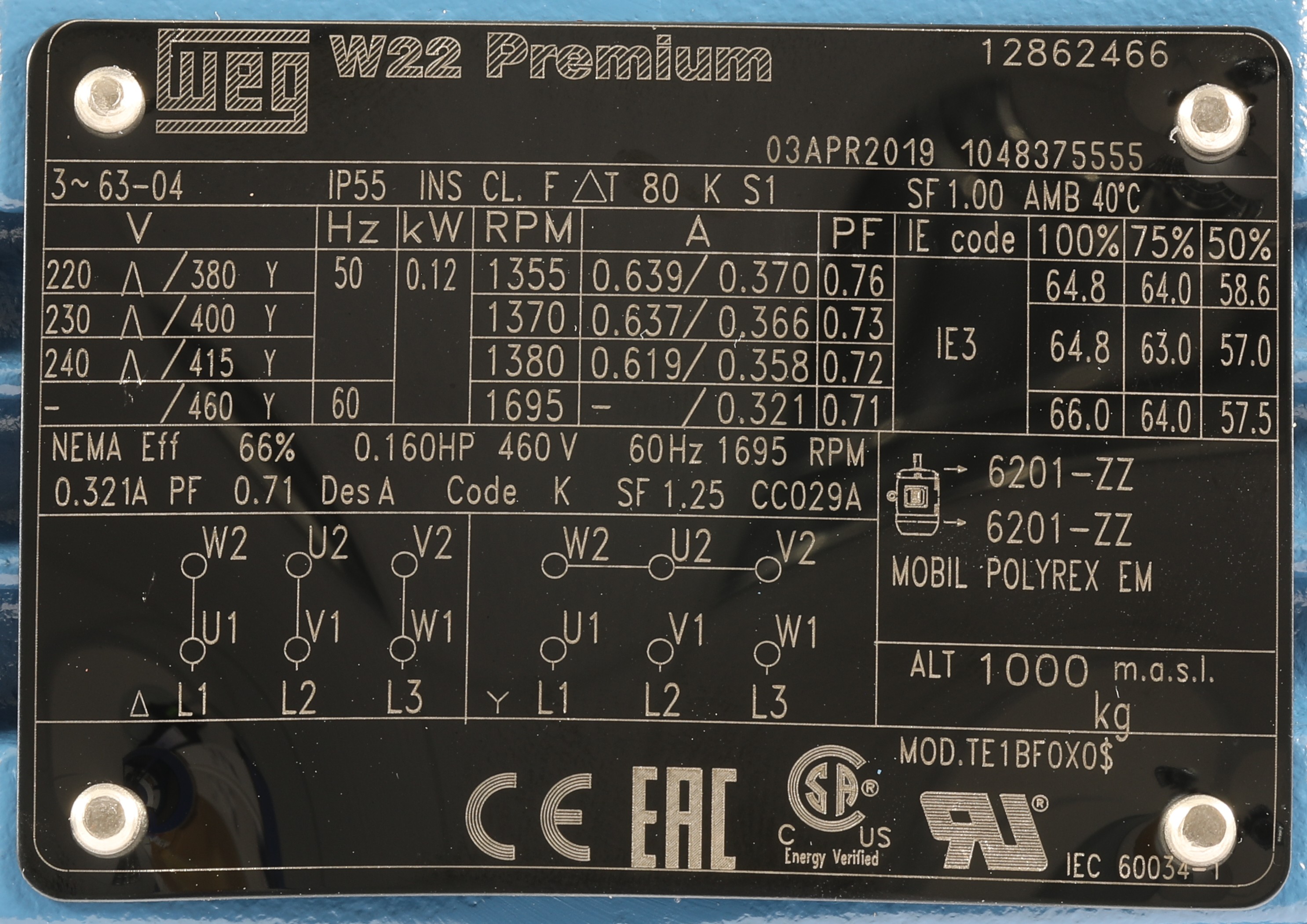
Zoomed View (Highlighted)

Another Example
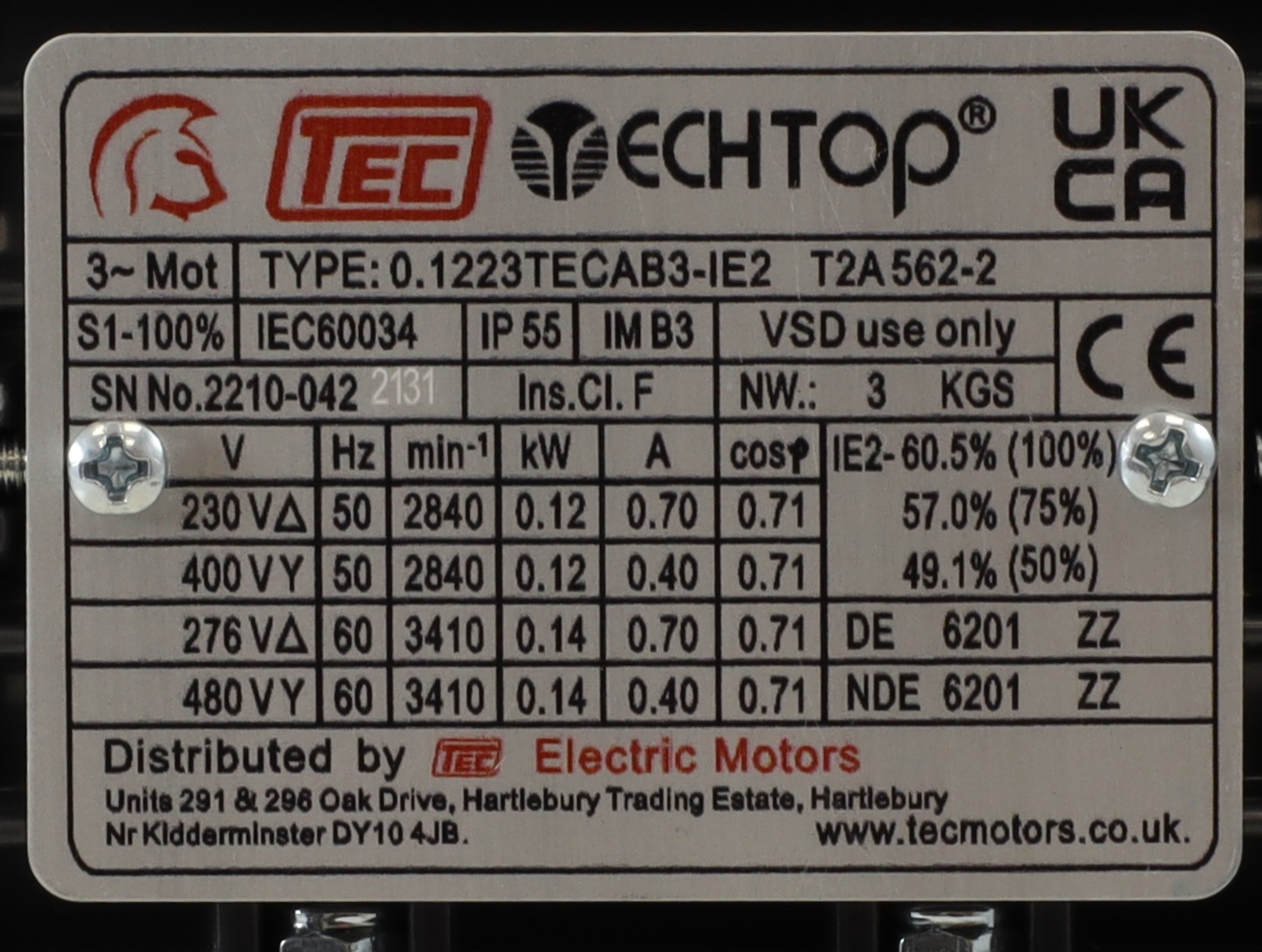
Zoomed View

Key Information for VSD Use
| Parameter |
Why It Matters |
| Voltage |
Must match the drive output and connection type |
| Current (Amps) |
Used to size and configure the drive correctly |
| Frequency (Hz) |
Ensures correct motor operation region (50 Hz vs 60 Hz) |
| Speed (RPM) |
Used for monitoring and performance expectations |
| Power (kW) |
General sizing reference, but less important than current for drive setup |
Less Critical Information
| Parameter |
Notes |
| Power Factor (cos φ) |
Useful to know, but not normally critical when setting up the drive |
| Efficiency |
Useful for energy calculations, but not essential for basic VSD setup |
Common Mistakes
- Using 60 Hz data instead of 50 Hz
- Mixing voltage and connection type
- Using kW instead of current for drive sizing
- Ignoring dual-voltage ratings
⚠️ Always use the current (Amps) as the primary value when setting up a VSD⚠️
Created by Inverter Drive Supermarket Ltd. Last Reviwed September 2026